
Pattern Maker
Design cross stitch patterns from a blank grid
Crossie is a full cross stitch pattern maker for iPhone, iPad, and Android. Paint your own design square by square, pull from 489+ real DMC floss colors, and mirror strokes so symmetric motifs draw themselves.


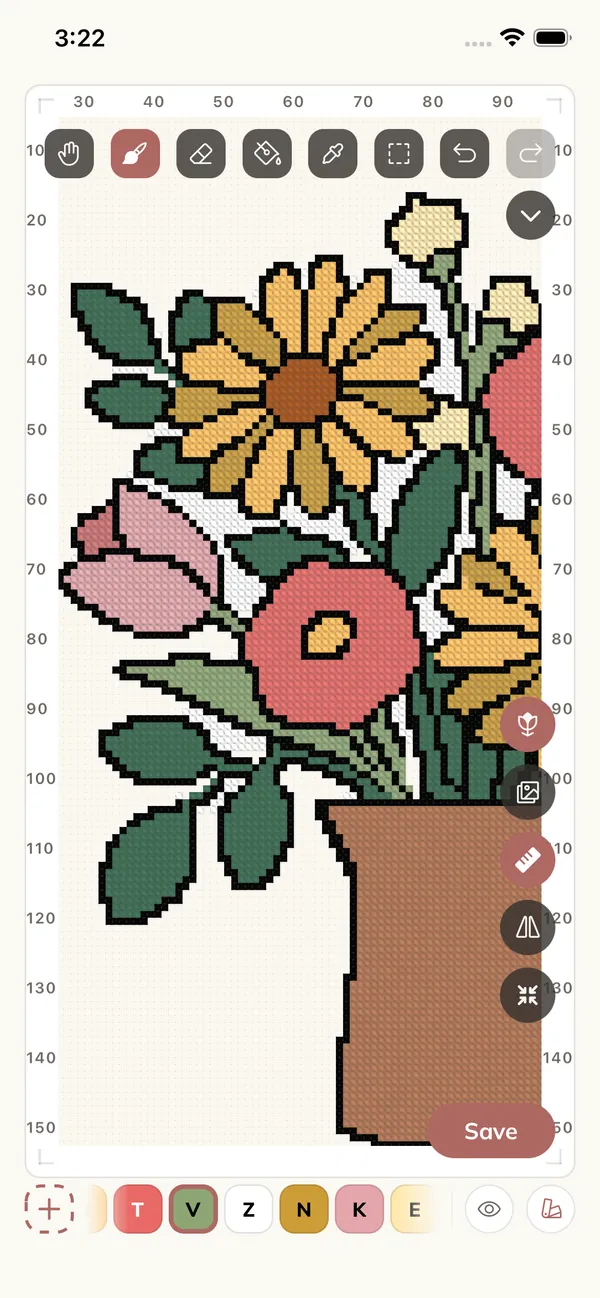
The Toolbox
Every tool a chart needs
The editor works in whole stitches on a counted grid, exactly the way you will stitch it. A bold rule marks every tenth square, and a mono ruler keeps your place.
- Paint Draw stitch by stitch in any DMC color
- Fill Flood areas in one tap
- Erase Clear single stitches or whole selections
- Eyedropper Pick up any color already in the chart
- Select and move Marquee, cut, copy, paste, and reposition
- Mirror Repeat strokes across the center lines
- Photo overlay Lay the picture over the chart to trace or compare
- Color tools Replace, merge, or reduce colors chart-wide
Mirror Painting
Draw one quarter, get the rest
Turn on Mirror and every stroke repeats across the chart's center lines. Hearts, snowflakes, borders, and samplers stay perfectly symmetric without counting squares twice. Flip any selection to mirror motifs you have already drawn.
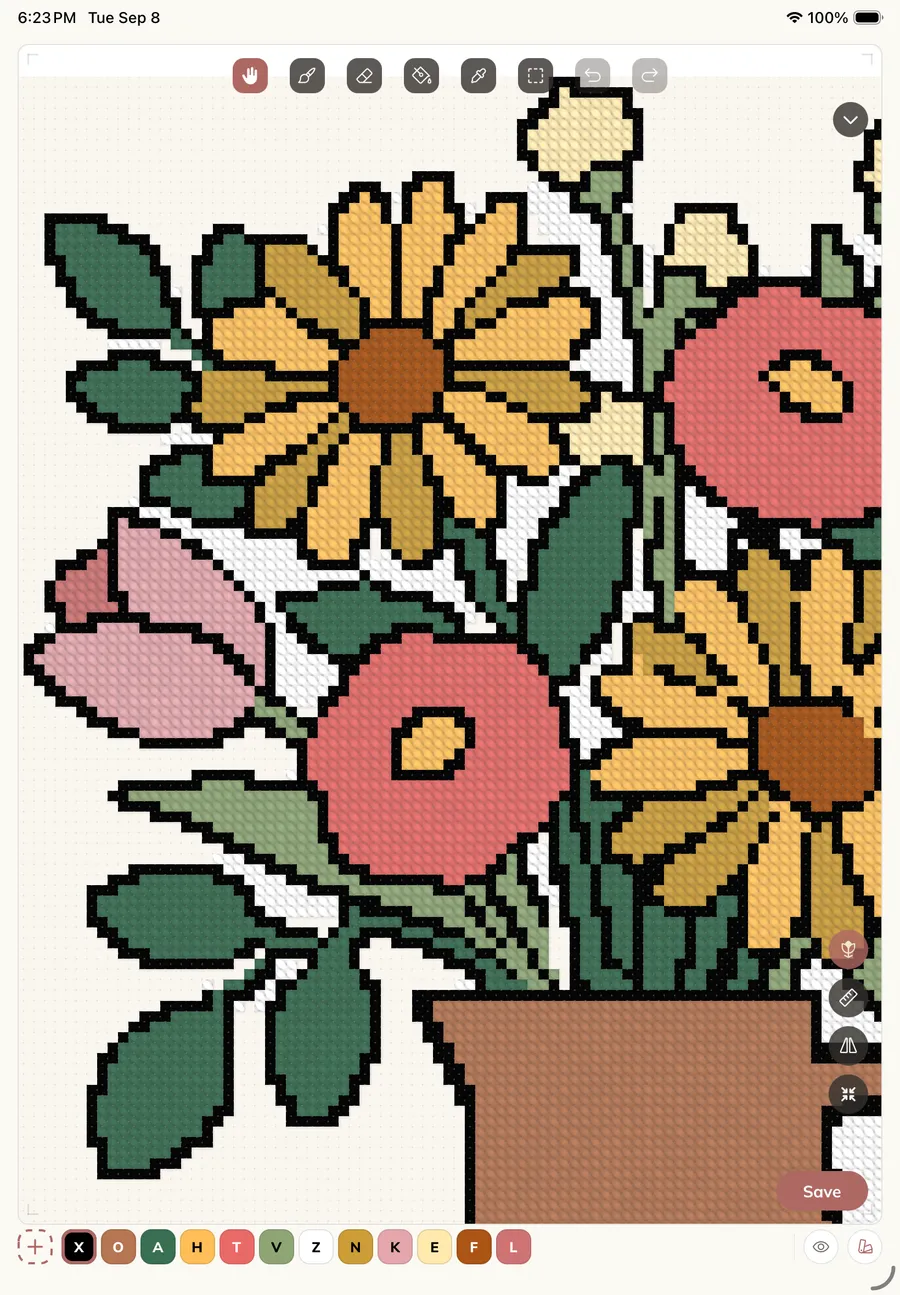
On iPad, the canvas is built for Apple Pencil: gap-free strokes, palm rejection, and a hover highlight that shows exactly which square you are about to fill.
Practice Patterns
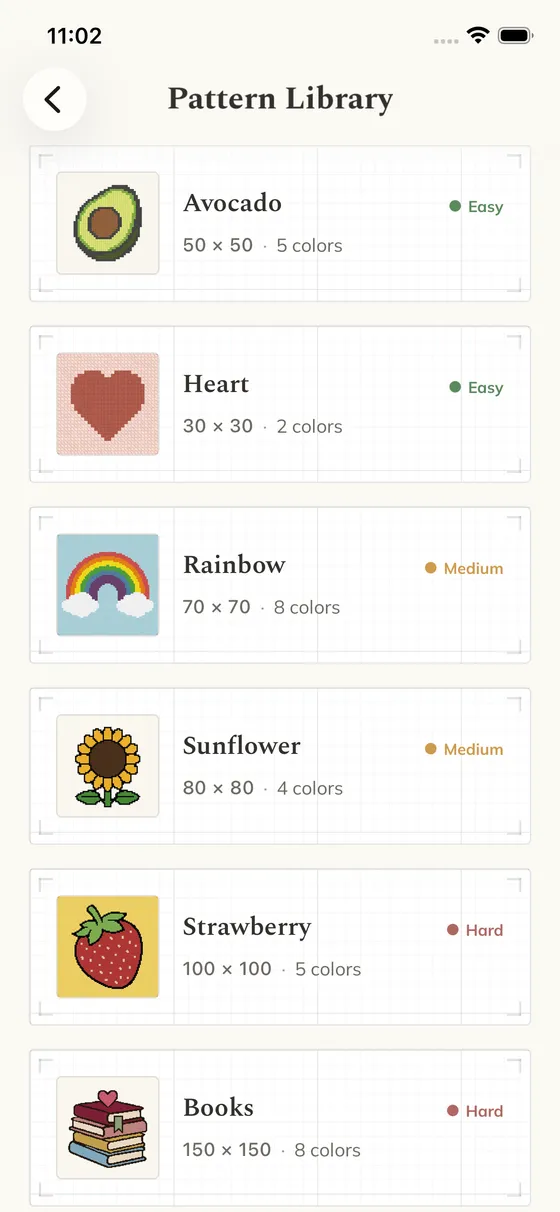
Learn on a ready-made chart
Not ready to design your own? Start stitching with a built-in pattern like the Avocado, Heart, Rainbow, Sunflower, or Strawberry, graded from easy to hard. They are regular patterns, so you can edit and recolor them too.
Pattern maker FAQ
Can I make a cross stitch pattern from scratch for free?
Yes. Crossie is free to download and includes the full editor. Patterns can go up to 500 x 500 stitches with up to 120 colors.
What editing tools does the pattern maker have?
Paint, fill, erase, eyedropper, select and move, cut, copy, paste, mirror painting across the center lines, a photo trace overlay, and color tools to replace, merge, or reduce DMC colors.
Does the pattern maker work with Apple Pencil?
Yes. On iPad, strokes are smooth and gap free, your palm is ignored while drawing, and hovering highlights the square under the tip before you commit a stitch.
Can I edit a pattern Crossie generated from a photo?
Yes. Generated charts open in the same editor, so you can clean up single stitches, swap colors, or redraw any area before you start stitching.
Next: start a chart from a photo, mark your progress with the stitch tracker, or export your design as a PDF. Everything you make is kept in your pattern library alongside the charts you bought.